SnapshotPro saves place and time with each photo, files it in its job by phase — before, during, after — closes each task only with the After photo, and shows your client only the photos you approve.
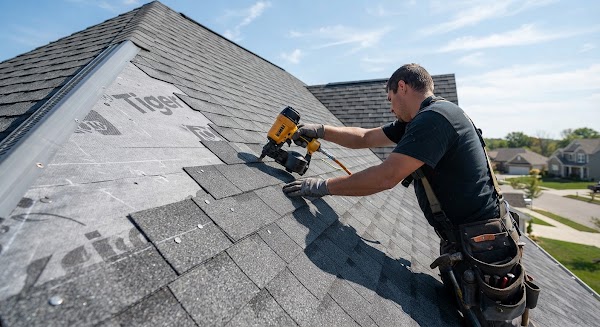
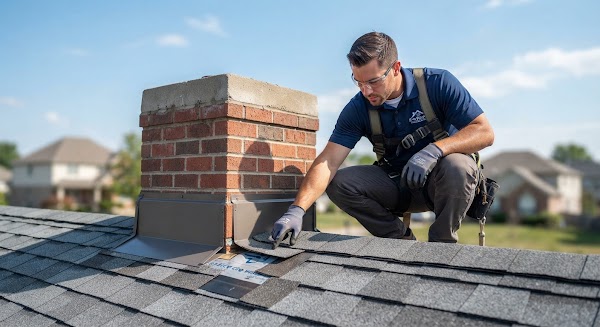

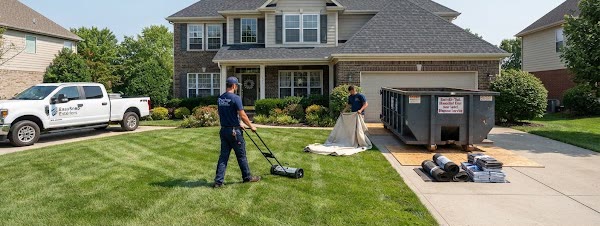
A photo or a checked item shows up in the office the moment it is saved.
GPS and the moment it was taken travel with the photo, and the map shows where.
Mark an item as photo-required and nobody can check it without the proof.
English, Portuguese and Spanish: each person sees screens and reports in their own.
The crew shoots from the phone, the office follows on the web, and the client sees only what you approve.
Pick the job and the phase — Before, During or After — and shoot. Time and GPS are saved with the photo.
Add a caption, move the photo to another phase or link it to a checklist item — an item that needs a photo closes only with it.
Approve the photos the client may see and invite them to the job, or print the job report and save it as PDF.
Replace scattered group chats, lost camera rolls and contested punch lists with one photo workflow your crew will actually use.
Pick the job and the phase — Before, During, After — and shoot. The photo lands in the right place with its GPS.
Every photo in order, day by day, and every job on the map with its photos.
You choose which photos the client sees. Invite them to one job; they see that job only, never the rest.
Each job has its checklist by stage. Items that need proof close only with a photo of that job attached.
One page per job with photos by phase, the checklist and the room scans. Print it or save it as PDF from the browser.
Mark something you know the size of, then measure the rest. The measurement is saved with the photo and the job.
Room X-Ray uses the LiDAR of an iPhone Pro to draw the floor plan with its measures, inside the same app your crew already carries.
Walk the room; SnapshotPro draws the plan with wall lengths, doors, windows, floor area and ceiling height. The plan is drawn on our server from the scan geometry — no AI.
Scan room after room in one session. Each room keeps its area, perimeter, doors and windows, and the list of rooms goes to the property.
What each one gives you, and in which plan. Every CompanyCam cell comes from its public pricing page.
| Feature |
SnapshotProEvery plan
|
CompanyCam |
|---|---|---|
| How to start | 14-day free trial, no card | Free trial (length not stated); Core US$ 63/month billed annually or US$ 79 monthly, 1 user |
| Checklist item that needs a photo | check Closes only with the photo | Checklists from the Crew plan (US$ 119/month annual, US$ 149 monthly); photo required: not stated |
| Client access | check One job, approved photos only | Live job updates in Core; custom client access from the Crew plan |
| Guests and subcontractors | check One job, read-only, no seat used | Guest Access from the Crew plan; Collaborators only in Scale; cost not stated |
| Before and after report | check Before · During · After in a printable job report | Before & Afters and reports in every plan; auto-generated job reports from Crew |
| Measure a room | check LiDAR floor plan, every plan | LiDAR in the Scale plan (US$ 249/month annual, US$ 299 monthly) |
| Languages inside the app | check Screens and reports in English, Portuguese, Spanish | Team messages auto-translated in Scale; app languages: not stated |
Every plan starts with a free trial, no card. Cancel anytime.
Jobs and photos from the earlier EasySnap move over with their dates, GPS and phases. Importing from other apps is not available today; you can add photos from your phone or computer to any job.
Each person sees what their role allows. Owners and admins see everything; the crew sees photos and checklists without prices or client contact; a client sees only the job shared with them and the photos you approved.
Your company. The owner can export all of the team's data at any time, and we do not share your photos with AI providers.
Yes. The office works on the web; the field shoots from the phone. Room X-Ray needs an iPhone or iPad Pro with LiDAR.
English, Portuguese and Spanish. Each person picks a language and sees screens, messages and reports in it.
No. The trial asks for no card and nothing is charged when it ends. A paid plan starts only when you see its price and choose it.
No. A guest invited to a job signs in, sees only that job and the photos you approve, and does not take a seat. People on your team who take photos count toward the plan's people limit.
Invite your crew, take the Before, close every task with the After and share the result with your client.
